
Sound Familiar?
These are the problems everyone faces with receipts. ReceiptNote solves all of them.
Shoeboxes full of faded receipts
Paper receipts pile up, ink fades, and when tax season hits you’re scrambling through drawers trying to find that one dinner receipt from April.
Spreadsheets you never update
You started a spending tracker in January. By February it was abandoned. Manual data entry is a chore nobody keeps up with.
No idea where the money went
You check your bank statement and wonder — where did $800 go last month? Without categorized receipts, spending is invisible.
Scan, organize, and understand your receipts
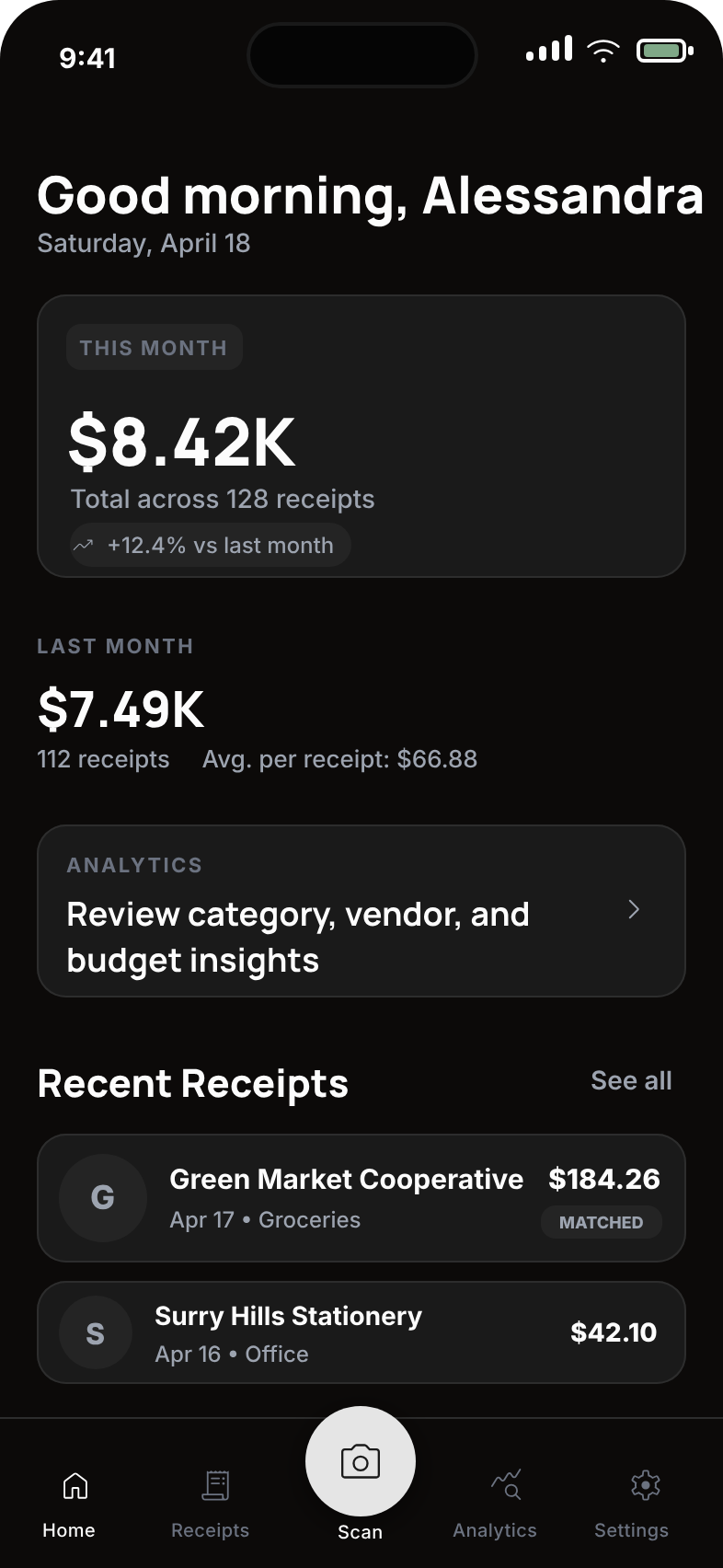
Capture receipts on your iPhone, review the extracted details, organize expenses, and export the records you need.
Spending insights
Review expense totals and category trends to understand where your money is going over time.
Receipt archive
Keep receipt records together and choose whether to sync them across your devices for backup and review.
Expense categories
Organize personal and business spending into categories, then correct the details whenever you need to.
From receipt to organized record
Scan privately on your iPhone, check the details, and use the saved records for expense tracking or reporting.
1. Snap a Photo
Capture a receipt with your iPhone. ReceiptNote reads the image with an on-device model, including when you are offline.
2. AI Categorizes
Review the merchant, date, amount, line items, and suggested category. Correct any detail before saving the receipt.
3. Track & Save
See spending totals and category trends, then export categorized records as CSV or PDF when you need them.
What is ReceiptNote?
ReceiptNote is an AI-powered receipt scanner for iOS that turns a photo of a receipt into structured data — merchant, date, amount, and line items — then categorizes it for spending analytics and tax preparation.
Receipt scanning runs on your iPhone — the receipt image isn’t uploaded to a server to be read.
ReceiptNote vs. tracking receipts manually
| Task | Manual / shoebox method | ReceiptNote |
|---|---|---|
| Reading the receipt | Type merchant, date, and total by hand | AI extracts merchant, date, amount, and line items automatically |
| Where scanning happens | Not applicable | Runs on your iPhone — the image is not uploaded to be read |
| Categorizing | Sort each receipt into a category yourself | Categorized automatically for spending analytics |
| Keeping the paper | Store receipts in a folder or shoebox | Digitized and searchable in the app |
| Reports for taxes | Re-enter totals into a spreadsheet | Export categorized records as CSV or PDF in seconds |
| Working offline | Always works, but fully manual | Scan and read receipts with no network connection |
Bottom line: manual tracking means handling paper and retyping every total, while ReceiptNote scans, categorizes, and exports your receipts automatically — with the scanning step running privately on your device.
Pricing starts with Free at $0 USD. ReceiptNote Pro Monthly is $2.99 USD per month, and Pro Yearly is $29.99 USD per year.